Full-stack product case study
HydroTrack
A hydration tracker for people whose day does not end at midnight—designed around configurable day boundaries, timezone-correct history, and one-tap logging.
- Role
- Product design & full-stack engineering
- Scope
- Frontend, API, data & deployment
- Product
- Responsive, installable PWA
- Status
- Live product
The problem
Midnight was the wrong product assumption.
The project started from a personal frustration: standard trackers reset at midnight even when I was still awake. Late-night intake moved into a new calendar day, breaking the relationship between the data and the wake cycle it was meant to describe.
That exposed the real product problem. A hydration tracker is not merely a counter; it is a time-based system that needs a user-defined day boundary, timezone-aware aggregation, and an interaction fast enough to repeat several times every day.
Core technical challenge
Define a “day” independently from a calendar date.
Each user can choose a reset time—for example, 4:00 AM. The backend combines that preference with the user’s timezone before assigning entries to a hydration day. Travelling or logging around midnight therefore does not silently corrupt streaks and daily totals.
The server owns this calculation so the dashboard, calendar, and seven-day analytics all use the same definition. The browser supplies local context; it does not become a second source of truth for historical grouping.
Product decisions
Build the dependable tracker first, then layer on intelligence.
Reliable daily tracking
Timezone-aware logging and configurable day boundaries keep a user’s daily total aligned with their routine.
Useful progress views
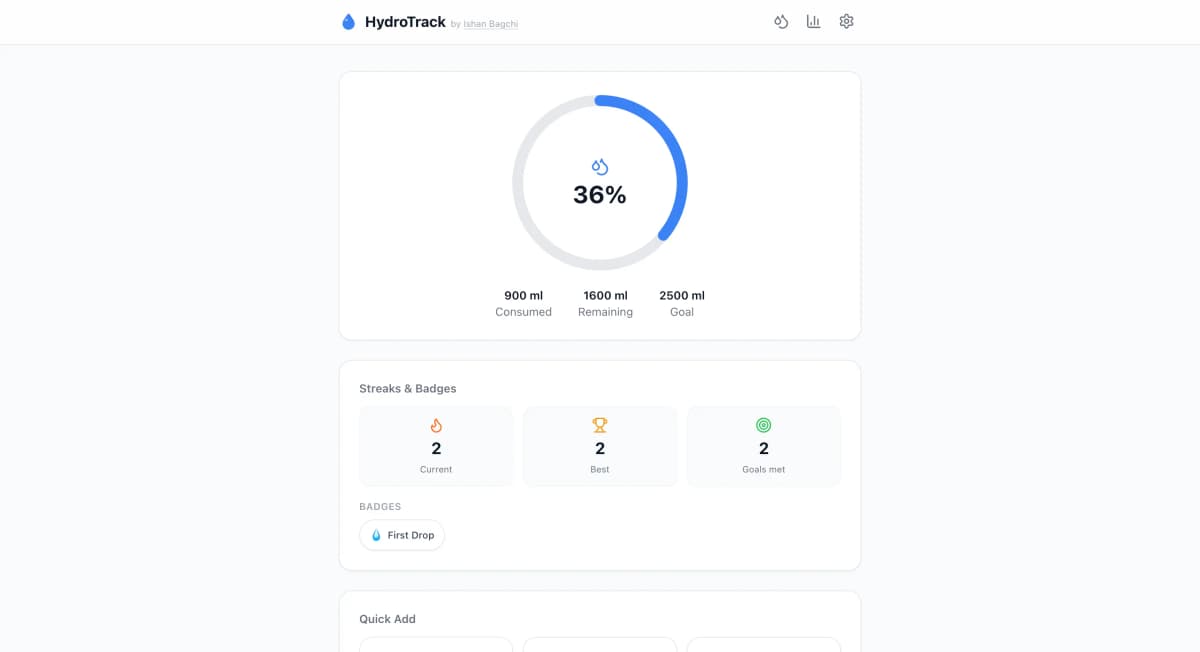
Daily progress, seven-day charts, and a monthly calendar turn individual entries into understandable patterns.
Secure account access
JWT and OAuth authentication support protected, user-specific hydration records without adding friction to sign-in.
Fast, resilient interaction
Optimistic updates make one-tap logging feel immediate, while the installable PWA keeps core assets available on unreliable connections.
System design
Clear boundaries across interface, API, and data.
01 · Interface
Next.js application
App Router UI, PWA shell, water-entry components, ECharts visualizations, and TanStack Query for cached server state and optimistic updates.
02 · Application
NestJS API
Separate auth, user, and water modules with guarded REST endpoints, DTO validation, JWT sessions, and Google OAuth strategies.
03 · Persistence
MongoDB Atlas
Mongoose models store user-scoped entries and preferences; aggregation pipelines produce daily and historical statistics.
Key trade-offs
Choosing enough architecture for the product—not for an imaginary scale.
01
Progressive web app over native apps
One responsive codebase provides installation, offline asset caching, and touch-friendly interactions without app-store distribution overhead.
02
Modular monolith over microservices
NestJS modules preserve clear domain boundaries while keeping deployment, local development, and cross-domain changes straightforward.
03
Optimistic logging with server authority
The interface responds immediately, but server responses remain authoritative so failed writes can be reconciled instead of becoming invisible data loss.
Outcome
A complete product, not only a dashboard prototype.
HydroTrack shipped as an installable, deployed product with two authentication paths, protected user data, editable entries, customizable quick-add presets, offline asset support, and daily-to-monthly analytics. I did not set an adoption target for this personal build, so the honest outcome is a coherent working system rather than an unsupported growth claim.
The main lesson was that product quality often lives in edge cases. Correct boundaries, reliable feedback, and a clear recovery path matter more than adding another chart.
- Next.js
- TypeScript
- Tailwind CSS
- NestJS
- MongoDB
- TanStack Query
- Apache ECharts
Want to discuss the product or its implementation?
Let's talk